
"Add by Copying" Screen Form Description
1. Hierarchy and Access
- System: Vista-MED.
- Subsystem: Inpatient.
- Window Form: "Choosing the time of reception".
- Access: The form is triggered from the Assignments list by clicking the "Add by copying" button on the Action Toolbar.
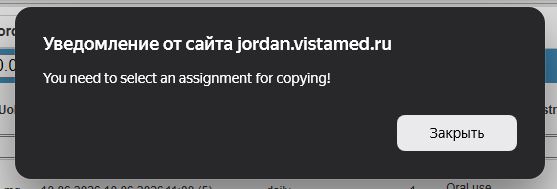
- Validation: A specific assignment must be selected (checked) in the list first. Otherwise, the system displays a notification: "You need to select an assignment for copying!".
2. Structure and Functionality The window layout for copying is identical to the standard prescription form, but all clinical fields are pre-populated with data from the original entry:
- Header: Displays the patient's full name, Case history number, and anthropometric vitals (Height, Weight, BSA).
- Left Panel (Copied Parameters):
- Drug Info: Pre-filled Group and INN (e.g., Acalabrutinib).
- Dosage: The "Concentration", "Single dose", and "UoM" fields carry over from the source assignment.
- Regimen: Preserves the "Route of administration", "Duration", and frequency ("Dates of assignment").
- Central Panel (Scheduling Grid): Allows the physician to verify or modify the Time of day. Selected slots are highlighted in green.
- Action Buttons:
- Assign: Finalizes the new prescription based on the copied data.
- Close: Exits the window without saving.

No comments to display
No comments to display